
Install
Download the latest version of Incredible Charts stock charting software and receive a 5-day free trial of our Premium data services, indicators and stock screen filters.
Select your operating system:
Incredible Charts - Windows Download and Installation Guide
Minimum System Requirements
- Operating system: Windows 7, Windows 8, Windows 10 or Windows 11.
- Browser: Internet Explorer 9.0 or later (it does not need to be your default browser).
- Memory: 300 Mb of RAM.
- Hard Disk Space: 50 Mb available.
- Internet connection
Download Incredible Charts installer
Click the green download button to start the download of Incredible Charts installer

Save
Click the Save button in the File Download box
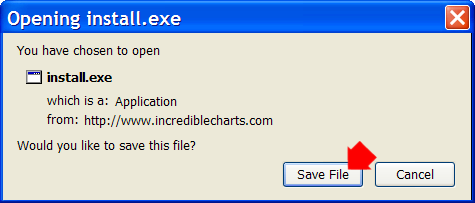
- If prompted for a folder, save to your Desktop or Downloads folder in My Documents.
Open the install.exe file when the download is complete.
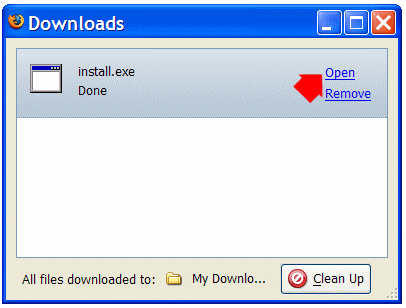
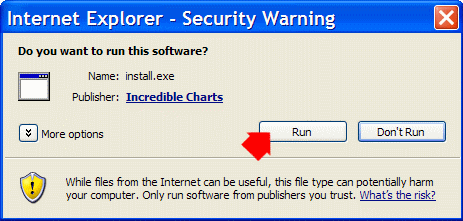
Run Publisher
When asked to approve the publisher, click the Run button.
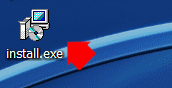
- If the installer does not start automatically, start it from your Desktop or Downloads folder (in My Documents).
- You will be prompted for an Administrator password if your Windows user account does not have Administrator Privileges.
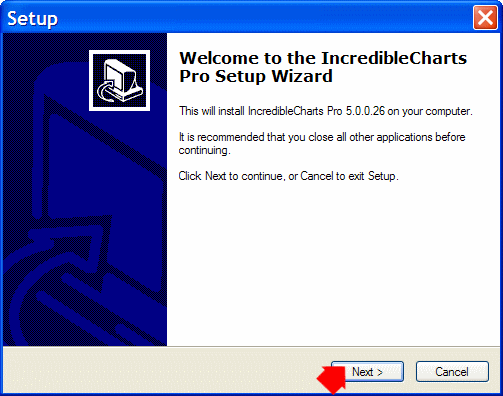
Incredible Charts Setup
Click Next to start the Setup Wizard. We recommend that you follow the Default options.
Configure Internet Explorer
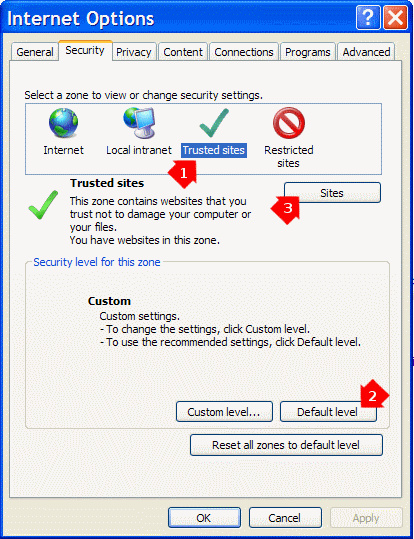
When finished, open Internet Explorer and add Incredible Charts to your Trusted Sites.
- Select Tools >> Internet Options >> Security >> Trusted Sites;
- Click the Default level button to set the Trusted Sites security level;
- Click the Sites button to open the Trusted Sites tab.
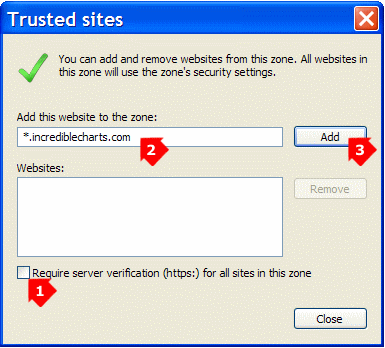
On the Trusted Sites tab:
- Clear the check-box: Require server verification (https:) for all sites in this zone;
- Enter *.incrediblecharts.com;
- Click the Add button then Close;
Windows 7 64-bit version
- Open C: >> Program Files >> Incredible Charts
- Right-click on incrediblecharts.exe and select Properties
- Click the Compatibility tab
- Select Run As >> Windows XP (32-bit) application
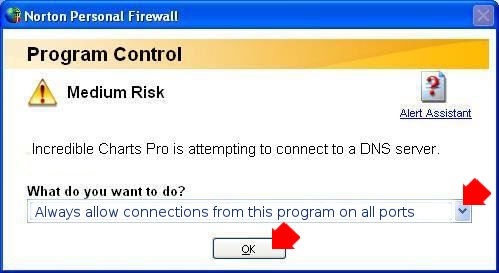
Configure your Firewall
Click the icon on your desktop to start Incredible Charts.

If prompted by your firewall, Allow connection to the server.
Login
Open Incredible Charts (desktop or menu icon) and login with your email address and password.
Register Here if you have not already done so.
- Create your own password and store this in a safe place.
- Enter a valid email address. This will be used to login.
- Enter a date of birth and secret question. These will be used should you require a new password.
- Information is protected by our Privacy Policy.
- Read the Incredible Charts License