
Advanced Options
Commands that are complex or infrequently used are placed under View >> Advanced Options.
Enabling Advanced Options
When you enable advanced options they will continue to appear on your menus until you remove them.
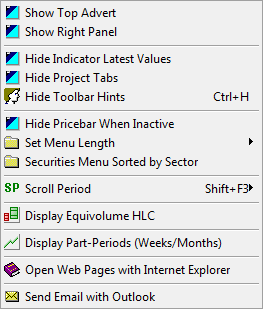
To add one of the advanced features:
- Click View on the main menu, or right-click on the chart background.
- Place your mouse pointer over
 Advanced Options. A list of advanced options appears.
 - Click one of options in the image above for further details.