
Crosshairs
Use cross-hairs to line up bars on a chart, or to check the date or price level.
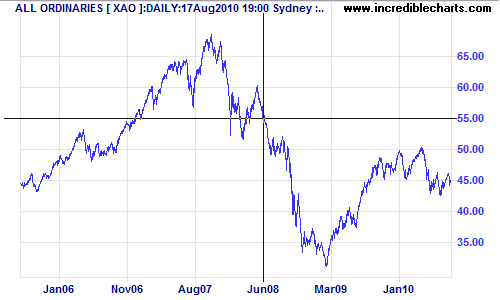
The Price Bar below the charts provides an accurate location of where your mouse is pointed:
- Price (at pointer location); and
- OHLC, % price move, volume; and
- Date.

Switch Crosshairs On
- Select View >> Crosshair Cursor, or
- Click
 on the toolbar (or use the shortcut key U).
Remove Crosshairs
To remove the cross-hair function:
- Remove the check next to View >> Crosshair Cursor on the main menu, or
- Click on the toolbar (or use the shortcut key U).