
Stock Screener
Volume Filter
The volume filter is used to filter out stocks which show insufficient activity (ie. stocks with low liquidity):
- The Minimum field represents volume (in number of shares), so 1 million should be entered as "1000000".
- Do not use commas or decimals.
- Negative numbers are not permitted.
Signals
- Minimum Value
Volume moving average must not be less than the amount specified. - Volume Moving Average (Days)
Select either 20-day or 100-day exponential moving average of volume.
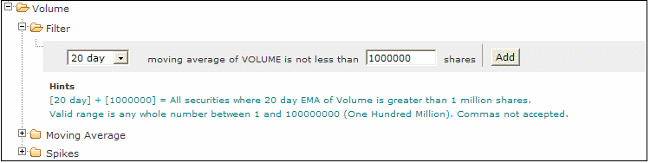
To Set the Volume Filter Screen:
- Select the Volume filter
- Then select the Filter filter
- Choose a Volume Moving Average by selecting the day value from the drop down menu
- Enter a minimum value share amount (e.g. 1000000)
- Click on the Add button to add the filter.